Showing posts with label gio. Show all posts

Wifi Android Samsung Galaxy Ace Gio Mini can not connect internet

| 0 comments |
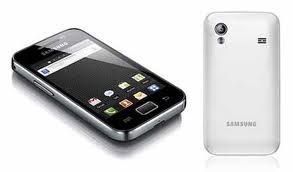
For your android phone users. Particularly Samsung Galaxy ace, mini galaxy or galaxy Gio may have experienced problems with the wifi feature. Wifi sometimes can not turn on, or lights, but wifi can not connect (connect) to the Internet. If only wifinya just can not turn on, can be solved by restarting the phone (turn off then turn on again). Namu problem if it can turn on wifi but can not connect to the Internet, this is a bit troublesome if we do not know. Restart the phone can sometimes be successful, but sometimes also fail, as I have ever experienced before. So how?


How to activate the internet connection through wifi Android Galaxy Ace

If you have any problems as above; Andorid phone could not connect to the internet through a wifi network. You can handle it by doing a few easy steps, namely by setting the DNS settings on the wifi network on your android phone. How, go to the menu anywhere? For more details, follow the guidelines below.

A brief guide,

Go to Menu Settings -> Wireless and Networks -> Wifi Settings -> press the menu -> select Advanced -> give the check the Use Static IP -> Enter the DNS on the DNS 1 and DNS2. For its DNS you can use the Google DNS is DNS 1 = 8.8.8.8, DNS2 = 8.8.4.4, or it could DNS Speedy ie 1 = 203.130.208.18 DNS, DNS2 = 203 130 196 155, Please select one that can be used.

After all the above steps you follow, try enabling Wifi you in an environment that provides Internet connections via wireless or hotspot. InsyaAlloh galaxy ace android phone you will be able to be used for internet access via wifi.

Good luck with the above guidelines, good luck again surf via wifi.


Read More..

Samsung Android Phone Applications Screenshot Galaxy Ace Mini Gio

| 0 comments |
Taking a screenshot or screenshots on some android phones can be done with the key combination, such as ace samsung android phone. In the galaxy ace we can take a screenshot with a combination of Home and Back buttons. But the use of a combination of the home and back is not easy, sometimes we would go to the home page as pressing the back button, or go to the main page as pressing the Home key. So for example we want to photograph the screens on the windows sms, who photographed the main menu window instead, instead of sms window. Surely this is sunguh troublesome.

For those of you who find it difficult to take a screenshot of android mobile phones, such as galaxy ace. You can use a special application for the screenshot. One application screenshot android phone is pretty good according to the authors is a screenshot (application name) that was developed by Soft Casters

Screenshot of the screen allows the user to photograph or screenshot android phone with ease. To take a screenshot can be based on time from 2 seconds to 40 seconds, or you can also shake the phone. But according to the authors the most convenient way is to specify a time within a few seconds.

The following display interface applications Screenshot

To download please use google play, through pc or mobile phone can also be directly android.
But there is one condition that must be met for android phones can run applications of this screenshot, the phone must be in a state of Rooted.

This screenshot application can work for android phone brand LG Revolution vs910, Motorola triumph, Optimus V, LG Optimus M, LG Optimus S, LG-P500, Mini Galaxy GT-S5570L who have used ginger bread android version 2.3.4.

Read More..